Picking the Right iPaaS Solution for Your Business
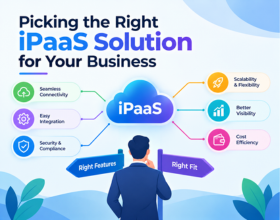
Picking the Right iPaaS Solution for Your Business
Businesses today rarely operate on a single application. CRM, ERP, HR, finance, e-commerce, marketing, data platforms, and custom applications all need to communicate with each other.
That is where an Integration Platform as a Service (iPaaS) can make a significant difference.
But with platforms such as Boomi, MuleSoft, Workato, Celigo, Oracle Integration Cloud (OIC) and other integration technologies available, choosing the right platform can quickly become complicated.
The right question is not:
“Which iPaaS is the best?”
It is:
“Which iPaaS is the best fit for our business?”
1. Start With Your Business Requirements
Before comparing platforms, understand what you actually need to integrate.
Create an inventory of your current and planned applications.
List
- CRM platforms
- ERP systems
- HR and payroll applications
- E-commerce platforms
- SaaS applications
- Databases
- Data warehouses and data lakes
- Custom applications
- APIs and microservices
- Legacy systems
- B2B/EDI partners
Then identify how these systems need to exchange data.
For example:
Salesforce → ERP → Finance → Data Warehouse
is a very different integration requirement from:
Shopify → NetSuite → 3PL → Customer Notifications
The integration architecture should follow the business process—not the other way around.
2. Evaluate the Platform's Connector Ecosystem
Connectors can significantly reduce development effort.
Before selecting an iPaaS, check whether it provides reliable connectors for the applications you already use.
Look beyond simply asking:
“Does the platform have a connector?”
Also ask:
- Does it support the required APIs?
- Does it support real-time and batch integration?
- Can it handle custom fields?
- Can it support authentication requirements?
- How frequently are connectors updated?
- Can developers extend the connector when required?
A platform with strong support for your application ecosystem can reduce both implementation time and long-term maintenance.
3. Consider Your Integration Complexity
Not every business has the same integration requirements.
Some organizations primarily need straightforward application-to-application integrations.
Others need complex orchestration involving APIs, databases, event-driven architecture, transformation, error handling, security, and multiple downstream systems.
| Requirement | What to Evaluate |
|---|---|
| Simple SaaS integrations | Pre-built connectors and templates |
| Complex transformations | Mapping and transformation capabilities |
| API-led integration | API management and lifecycle capabilities |
| Real-time integration | Event and messaging capabilities |
| B2B integration | EDI and partner management |
| Legacy integration | Database, file and protocol support |
| High-volume integration | Throughput and scalability |
| Complex workflows | Orchestration and process capabilities |
Your platform should be capable of handling today's requirements while leaving room for tomorrow's architecture.
4. Don't Ignore Scalability
An integration platform that works perfectly for 20 integrations may not be the right choice when your organization reaches 200 or 500.
Think about where your integration landscape will be in the next three to five years.
Consider:
- Number of integrations
- Transaction volumes
- Number of applications
- Number of business units
- Number of integration developers
- API volume
- Real-time processing requirements
- Geographic expansion
Scalability is not only about technical throughput.
It is also about how easily your team can build, monitor, govern, and maintain a growing integration ecosystem.
5. Evaluate Security and Governance
Integration platforms sit in the middle of your business ecosystem.
They may process customer information, financial data, employee information, orders, payments, and other sensitive business data.
Security therefore needs to be evaluated from day one.
List
- Authentication and authorization
- Role-based access control
- Encryption
- Secrets management
- Audit logging
- Environment management
- API security
- Data protection
- Monitoring and alerting
- Compliance requirements
A good iPaaS should help your organization establish consistent integration governance, rather than creating another collection of disconnected scripts and point-to-point integrations.
6. Look at Developer Experience
Technology alone does not deliver integrations. People do.
Evaluate how easily your team can:
- Build integrations
- Debug failures
- Test workflows
- Reuse components
- Manage deployments
- Monitor processes
- Troubleshoot production issues
- Collaborate across teams
Consider your existing technical skills as well.
If your team already has strong experience with a particular platform or ecosystem, that can influence the overall implementation cost and speed.
7. Understand the Total Cost of Ownership
License cost is only one part of the equation.
A realistic iPaaS evaluation should consider:
Total Cost = Platform + Implementation + Development + Operations + Maintenance + Training
A platform with a lower license price may become more expensive if integrations require significantly more development or specialized skills.
Evaluate:
- Licensing model
- Transaction-based pricing
- User-based pricing
- Environment costs
- API costs
- Infrastructure requirements
- Development effort
- Support costs
- Monitoring costs
- Future scaling costs
Always compare the five-year cost, not just the first-year subscription.
8. Compare Platforms Based on Fit, Not Popularity
There is no universal winner in the iPaaS market.
Different platforms have different strengths.
| Platform | Often Considered For |
|---|---|
| Boomi | Broad application integration, hybrid integration, APIs and enterprise connectivity |
| MuleSoft | API-led architecture, complex enterprise integration and application networks |
| Workato | Automation, SaaS integration and business-user-friendly workflows |
| Celigo | SaaS and e-commerce-centric integration scenarios |
| Oracle Integration Cloud (OIC) | Oracle-centric ecosystems and enterprise integration |
These are not absolute boundaries. Each platform can support a wide range of use cases.
The important point is to evaluate your architecture, applications, people, budget, and roadmap before selecting the platform.
9. Don't Select an iPaaS Before Running a Proof of Concept
A Proof of Concept can reveal issues that are difficult to identify from product demonstrations.
Choose one or two representative integrations and test them.
For example:
CRM → ERP → Data Platform
Evaluate:
- Development time
- Connector capabilities
- Transformation complexity
- Error handling
- Monitoring
- Performance
- Security
- Deployment process
- Developer experience
A small POC can provide much more useful information than dozens of vendor presentations.
10. Think Beyond the First Integration
One of the biggest mistakes organizations make is selecting an iPaaS based on a single project.
Your first integration may be:
Salesforce → ERP
But eventually you may need:
Salesforce ↔ ERP ↔ HR ↔ Finance ↔ E-commerce ↔ Data Warehouse ↔ APIs ↔ Partners
The platform should therefore become part of your integration strategy, not simply a tool for one project.
The right iPaaS should reduce integration complexity—not move that complexity somewhere else.
A Simple iPaaS Evaluation Framework
Before making your final decision, score each platform against the areas that matter most to your organization.
| Evaluation Area | Suggested Weight |
|---|---|
| Application & API Connectivity | 20% |
| Integration Capabilities | 15% |
| Scalability & Performance | 15% |
| Security & Governance | 15% |
| Developer Experience | 10% |
| Monitoring & Operations | 10% |
| Total Cost of Ownership | 10% |
| Vendor Ecosystem & Support | 5% |
The weights should change according to your business.
For example, an Oracle-heavy enterprise may place greater importance on Oracle ecosystem compatibility, while a rapidly growing SaaS company may prioritize automation and speed of implementation.
The Bottom Line
Choosing an iPaaS is ultimately an architecture and business decision, not simply a technology purchase.
The right platform should align with:
- Your application landscape
- Integration complexity
- Business processes
- Security requirements
- Existing technical skills
- Scalability requirements
- Budget
- API strategy
- Automation roadmap
- Long-term integration architecture
Platforms such as Boomi, MuleSoft, Workato, Celigo, and OIC can all be strong choices—but the best platform depends on your specific requirements.
Don't start by asking which platform is the best. Start by understanding what your business needs to integrate, automate, and scale.
Need Help Choosing the Right iPaaS?
Selecting an integration platform can be challenging when you are balancing technical requirements, business priorities, budget, and future growth.
Integratt helps businesses assess their integration landscape, select the right integration approach, and build scalable integration ecosystems across leading iPaaS platforms.
Whether you are evaluating Boomi, MuleSoft, Workato, Celigo, or Oracle Integration Cloud, we can help you move from platform selection to implementation and ongoing integration delivery.
Tip
Before choosing an iPaaS, map your applications, integrations, APIs, data flows, and future roadmap. The clearer your integration strategy, the easier it becomes to choose the right platform.
Ready to modernize your integration stack?
Our certified integration architects can help you design, build, and scale reliable connections across your business systems. Book a free consultation to get started.