
Home
Blogs
ITSM ↔ CRM Integration

ServiceNow – Salesforce
Integration

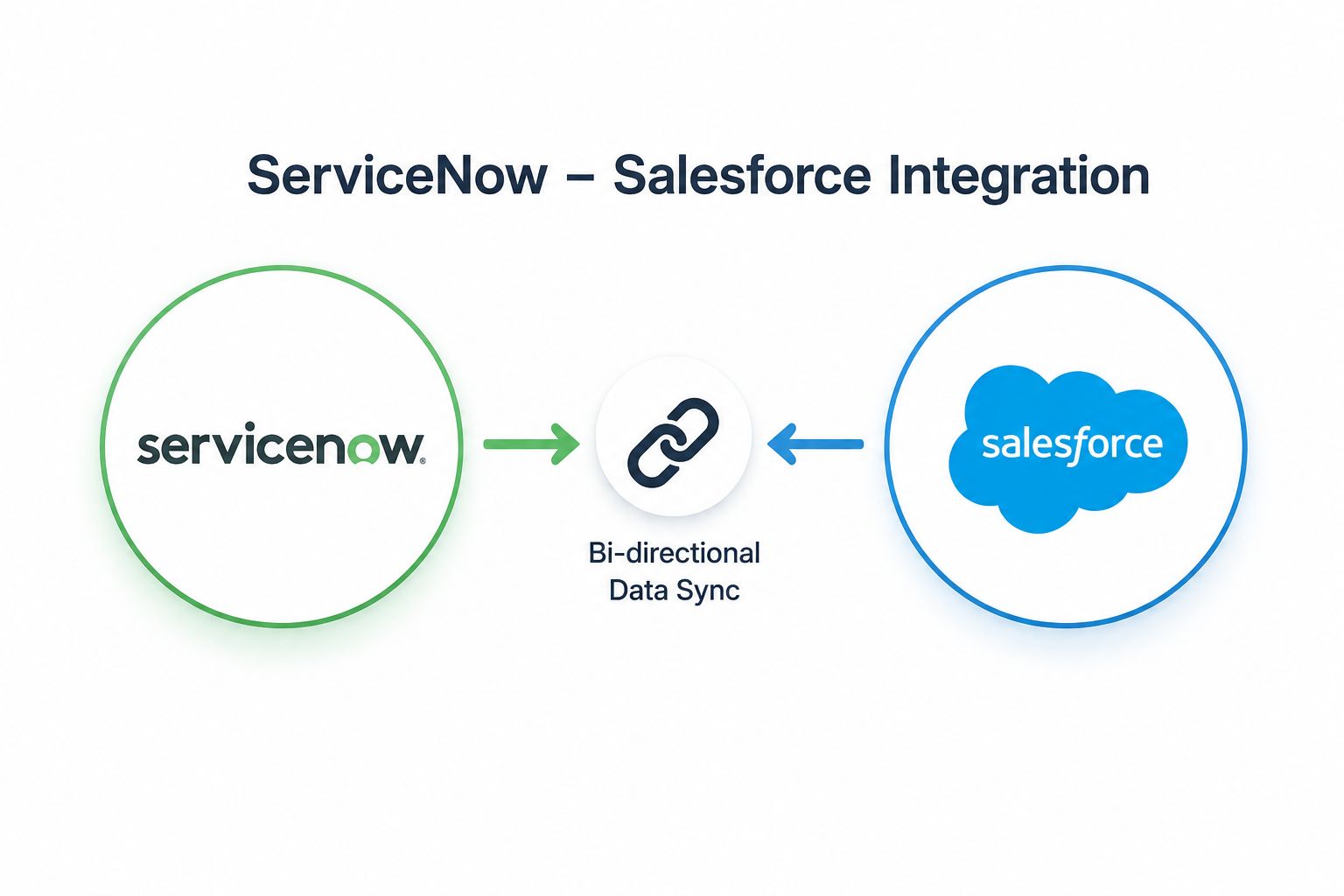
Give every sales rep, account manager, and support agent a unified view of every customer — syncing service tickets, incident history, account data, and case status between ServiceNow ITSM and Salesforce CRM in real time.
Real-Time
Ticket sync
🚀
2–4 Weeks
Typical go-live
🛡️
99.9% SLA
Uptime guarantee
ServiceNow IT service desk
Salesforce support case view

What data & processes should be integrated?

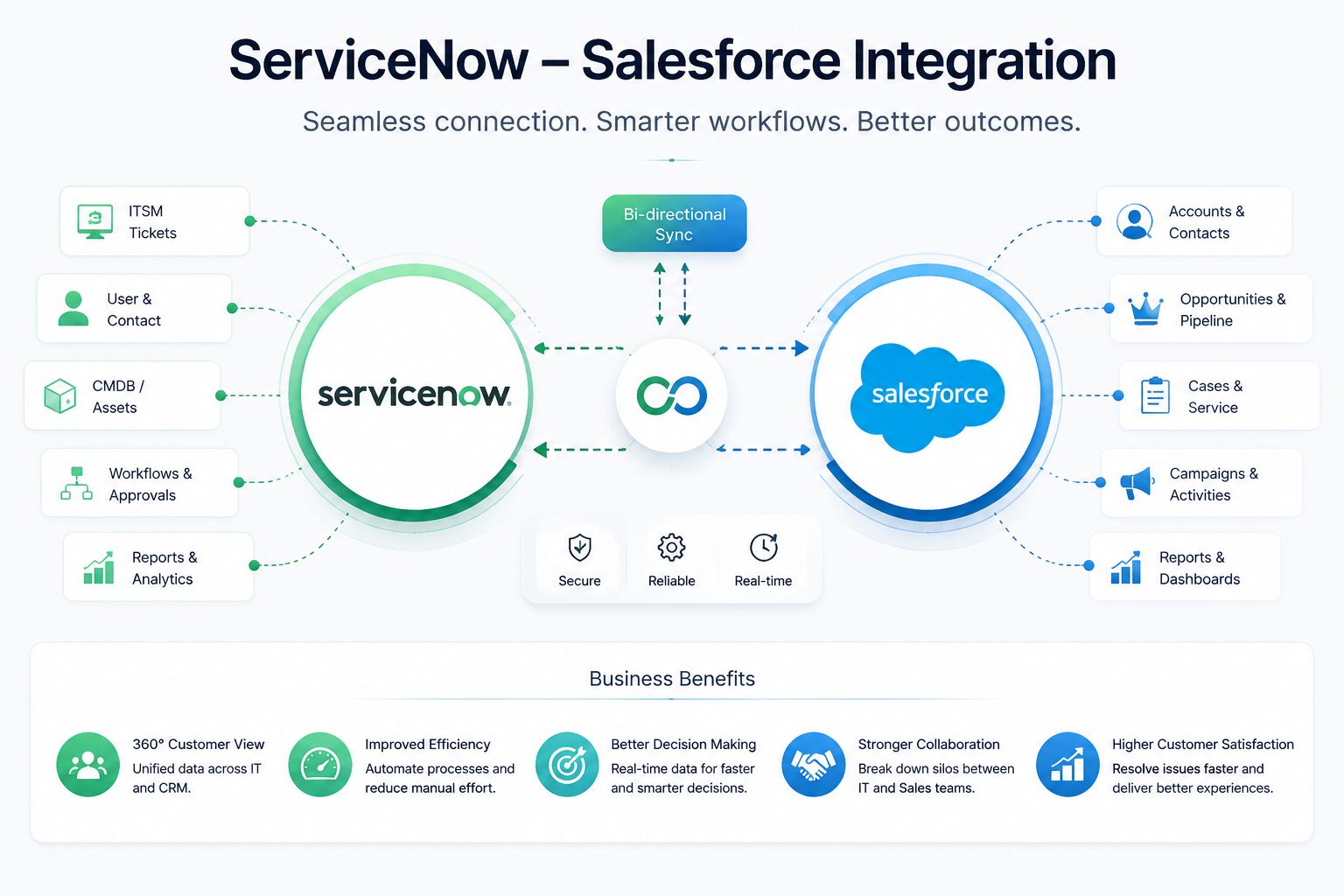
The ServiceNow ↔ Salesforce integration aligns service operations and CRM data so both platforms share the same account context, case history, and customer health picture.

Incidents & Cases
ServiceNow incidents sync to Salesforce Cases (and vice versa) — agents in both systems see the same ticket status, priority, assigned team, and resolution notes without switching platforms.
Incident IDPriorityStatusResolution
Account & Contact Data
Salesforce Account and Contact records sync to ServiceNow — support agents know a customer's contract tier, ARR, CSM owner, and renewal date the moment a ticket is raised, without asking.
Account nameContract tierARRCSM owner
SLA & Entitlement Data
Customer entitlements and SLA tiers from Salesforce sync to ServiceNow — the ITSM platform automatically applies the correct response time SLA and escalation path based on the customer's contract.
SLA tierResponse timeEscalation pathContract expiry
Customer Health & Churn Signals
ServiceNow ticket volume, P1 frequency, SLA breach rate, and CSAT scores flow into Salesforce health score fields — customer success teams see a live, data-driven health picture on every Account.
Open ticketsSLA breachesCSAT scoreEscalation count
Change & Problem Records
Planned maintenance windows and problem records from ServiceNow sync to Salesforce — account managers are automatically notified before customer-impacting changes go ahead.
Change windowAffected CIsProblem IDImpact tier
Opportunities & Renewal Risk
Open Opportunities and renewal dates from Salesforce sync to ServiceNow — support teams know when a customer is mid-deal so they can escalate service issues faster and protect the renewal.
Renewal dateOpportunity stageDeal valueAt-risk flag

How the ServiceNow ↔ Salesforce integration works

A bi-directional, event-driven architecture that keeps ITSM and CRM in lockstep — account context flows into ServiceNow at ticket creation, ticket status flows back to Salesforce in real time.

01
🎫
Event Fires in Either System
A new incident in ServiceNow, a new case in Salesforce, or an account update triggers the integration via webhook or REST event — whichever system is the source.
02
Match Account / Contact
The customer is matched across both systems by Account ID, email, or company name — ensuring the ticket or case links to the correct Salesforce Account without creating duplicates.
03
🔄
Enrich & Transform
Account tier, ARR, CSM owner, and SLA entitlement from Salesforce enrich the ServiceNow incident. Ticket status, priority, and resolution notes from ServiceNow enrich the Salesforce Case or Account.
04
📤
Write to Target System
The enriched record is created or updated in the target system via its REST API — incident in ServiceNow, case in Salesforce, or health score update on the Account record.
05
📡
Sync Status & Audit
Resolution status, CSAT, and closure data sync back to whichever system needs them. Every event is logged for SLA reporting, compliance audit, and customer health dashboards.
🎫 ServiceNow ITSM
Incidents, Problems, Changes, CMDB, SLAs
Boomi / MuleSoft / OIC
Bi-directional mapping, enrichment, retry & audit
☁️ Salesforce CRM
Accounts, Cases, Opportunities, Health Scores

Key automation flows we build

Six critical flows that connect your ITSM and CRM operations — from ticket creation to renewal alerts, health scoring, and case escalation.

01
ServiceNow Incident → Salesforce Case
New ServiceNow incidents create matching Salesforce Cases — customer contact, account link, priority, and ticket reference all synced so Salesforce shows a complete service history for every account.
Trigger:Incident CreatedReal-Time
02
Salesforce Account Enrichment in ServiceNow
When a ticket is raised for a customer, Salesforce account data enriches the ServiceNow incident — contract tier, ARR, SLA entitlement, CSM owner, and renewal date all visible to the support agent instantly.
Trigger:Ticket OpenedContact Lookup
03
P1 Incident → Salesforce Alert & Escalation
High-priority incidents on enterprise or at-risk accounts trigger automatic Salesforce Task creation, CSM notification, and Account flag update — reps and CSMs know about critical issues before customers escalate.
Trigger:P1 / P2 RaisedImmediate
04
Health Score Update from Ticket Data
ServiceNow ticket volume, SLA breach rate, and CSAT scores update Salesforce health score fields on every Account — customer success sees a live, data-driven health picture without manual tracking.
Trigger:Ticket ClosedCSAT Submitted
05
Renewal Risk Alert to ServiceNow
Open Opportunities approaching renewal date sync to ServiceNow — support agents are flagged when a customer is mid-renewal so service issues get accelerated treatment that protects the deal.
Trigger:Renewal < 90 DaysAt-Risk Flag
06
SLA Entitlement Sync to ServiceNow
Customer SLA tiers and entitlements from Salesforce contracts sync to ServiceNow — the correct response time SLA, escalation path, and support level apply automatically when a ticket is raised, without manual lookup.
Trigger:Contract UpdatedRenewal Processed

Common business use cases for ServiceNow ↔ Salesforce

Enterprise support teams, customer success organisations, and revenue operations leaders all rely on this integration to align service and commercial operations around the same customer data.

Customer Success
360° Account Health View
CSMs see open tickets, SLA breaches, CSAT trend, and escalation history directly on Salesforce Account records — health scores are driven by real service data, not gut feel.
Renewals
Renewal-Aware Support Prioritisation
ServiceNow knows which customers are mid-renewal from Salesforce Opportunity data — P1 tickets on accounts within 90 days of renewal automatically escalate faster to protect the deal.
Enterprise Support
Automated SLA Entitlement Application
Enterprise customers get the correct SLA response time applied automatically when they raise a ticket — no agent needs to manually look up the contract or set the SLA tier.
Sales
Service-Aware Account Management
Sales reps see open incidents and recent SLA breaches before every renewal call — they can proactively address service concerns instead of being surprised by unhappy customers mid-negotiation.
Churn Prevention
Data-Driven Churn Signal Detection
Rising ticket volume, repeated SLA breaches, and declining CSAT from ServiceNow trigger Salesforce alerts to CSMs and account managers — churn is caught before the customer decides to leave.
IT Operations
Planned Maintenance Customer Notification
ServiceNow change management windows sync to Salesforce — account managers are automatically notified before maintenance impacts their customers so they can communicate proactively.

The business case for integrating ServiceNow with Salesforce

Disconnected ITSM and CRM means your best customers get generic support while your sales team walks into renewals blind. Here is what changes immediately after go-live.

Complete Customer View in Both Systems
Sales reps see open tickets in Salesforce. Support agents see contract tier in ServiceNow. Both teams work from the same customer picture — without switching platforms or asking colleagues.
Higher Renewal Rates
Reps armed with service data win more renewals. Proactively addressing known issues before a renewal call converts at-risk accounts — reducing churn and protecting revenue.
Faster Resolution on Key Accounts
P1 incidents on enterprise customers auto-escalate based on Salesforce ARR data — your most valuable customers never experience slow support because an agent didn't know their contract tier.
20+ Hours Saved Per Week on Manual Lookups
Eliminate agents manually looking up account tiers, CSM owners, and renewal dates every time a ticket is raised. All context is surfaced automatically at ticket creation.
Data-Driven Health Scores & CS Efficiency
Customer success teams act on real health scores — driven by ticket data, not survey responses — and catch churn signals weeks earlier than they would with manual tracking.
📊 Typical ROI after integration
Customer context in ServiceNowReal-time
Ticket history in SalesforceReal-time
P1 escalation on key accountsAutomatic
Manual account lookupsEliminated
Time to go-live2–4 weeks
Support ops cost reduction25–35%

ServiceNow ↔ Salesforce challenges we solve

ITSM-to-CRM integrations have specific failure points around customer identity matching, bidirectional conflict resolution, and SLA data accuracy. Here is how we handle each one.

Challenge: Customer Not Matching Across Systems
Multi-field matching with fuzzy fallback
ServiceNow contacts and Salesforce Accounts use different naming conventions and identifiers. We match on a priority chain — Account ID, email domain, then company name — with a human review queue for unmatched records.
Challenge: Update Loops in Bidirectional Sync
Source-of-truth field ownership + update suppression
Bidirectional sync without conflict rules creates infinite update loops — System A updates System B which updates System A. We define field-level ownership per system and suppress echo updates using integration stamps.
Challenge: SLA Entitlement Not Applied Correctly
Contract tier mapping to ServiceNow SLA definitions
Salesforce contract tiers must map precisely to ServiceNow SLA definitions. A mismatch means the wrong response time applies — we build the full tier-to-SLA mapping table and validate it against live contracts at go-live.
Challenge: Duplicate Cases for the Same Incident
Idempotency key + deduplication on ticket reference
Without deduplication logic, a retry or a manual agent action can create two Salesforce Cases for one ServiceNow incident. We stamp every sync with the source ticket ID and check for existence before creating.
Challenge: ServiceNow Rate Limits Under High Volume
Message queuing + rate-aware batching
ServiceNow REST API enforces transaction rate limits. Under high incident volume, unthrottled integration calls fail silently. We queue all messages, batch within rate limits, and retry failed events with exponential backoff.
Challenge: Health Scores Stale Between Ticket Updates
Scheduled health recalculation + event-driven refresh
Health scores based only on ticket-close events can lag by days. We combine event-driven updates (on close, CSAT, escalation) with a scheduled daily recalculation so Salesforce always shows an up-to-date health picture.

Why choose Integratt for ServiceNow ↔ Salesforce?

Connecting ITSM and CRM requires deep knowledge of both platforms' data models, API limits, and bidirectional conflict resolution patterns. Integratt has delivered this integration for enterprise organisations across multiple industries.

12+
Years of iPaaS Experience
Certified across Boomi, MuleSoft, Oracle OIC, Celigo & Workato — with deep expertise in ServiceNow's REST API, scripted integrations, and Salesforce Service Cloud patterns.
2–4 wks
Fast Time to Go-Live
Pre-built ServiceNow ↔ Salesforce connector templates and proven field mapping libraries mean most integrations go live in 2–4 weeks — not quarters.
99.9%
SLA-Backed Uptime
Every managed integration includes a 99.9% uptime SLA with 24/7 monitoring — ticket syncs and account enrichments process reliably around the clock.
24/7
Always-On Support Operations
Your ticket sync and health score pipeline runs around the clock. P1 escalations and renewal alerts process the moment they're triggered — including outside business hours.
Ready to Integrate?

Your sales team should never be surprised
by a service issue on renewal day

Book a free 30-minute call with our ServiceNow ↔ Salesforce integration architects. We'll map your ticket and account data flows and provide a fixed-price delivery plan.